


Vacation Countdown App
4.65.62K Reviews
App Specs
- Version
- 2.792
- Updated On
- License
- Free
- Downloads
- 5,000,000+
- Developer
- Kulana Media Productions LLC
- Categories
- Travel & Local
- Platform
- Android, iOS
Screenshots
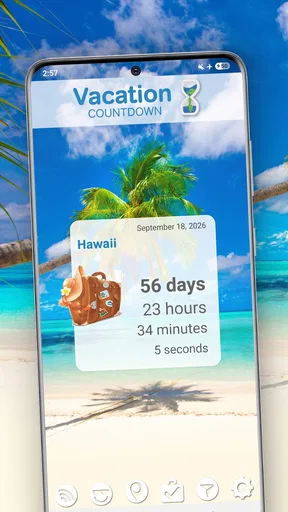
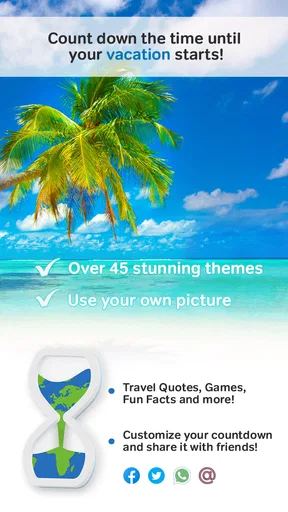
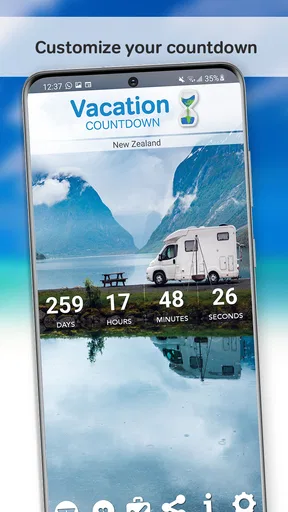
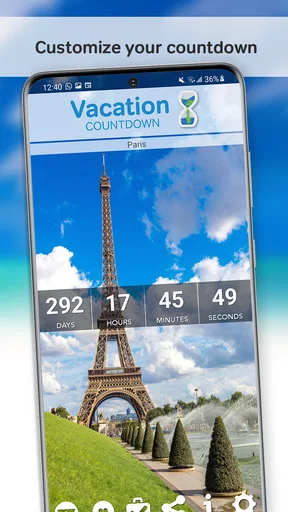
 Analysis by AppCompare
I like the idea behind Vacation Countdown App: it gives the stretch between booking a trip and leaving a small, cheerful focal point. That is a modest job, but a useful one when the holiday still feels far away and the practical planning is already underway. I would treat it as a companion for anticipation, not as a travel planner or a source of destination information. Its appeal is precisely that it keeps attention on the date you are looking forward to without asking you to organize the whole trip inside another system.
A small ritual for the time before departure
In everyday use, a countdown works best when it becomes a quick ritual rather than another task. I can imagine adding the date after booking, giving the event a name that feels personal, then checking it when I unlock my phone during a busy day. The value is not that a number changes the travel arrangements; it is that the upcoming break becomes visible amid work, errands, and routine.
That distinction matters. If you need flight details, accommodation records, route planning, or a shared itinerary, you will still want the relevant travel tools. A countdown does not replace those jobs. It can sit alongside them, offering a lighter, more emotional reminder: the holiday is approaching, and the preparation has a finish line.
The Countdown Begins
Alright, picture this: you’ve just booked your trip, and you’re buzzing with excitement. You whip out your phone, and here’s where the Vacation Countdown App comes into play. With its sleek and user-friendly interface, setting up your countdown is as easy as pie. Just input your destination, the start date of your vacation, and voilà! A ticking countdown that keeps reminding you how many sleeps until you’re sipping cocktails on the beach.
Features That Make It Shine
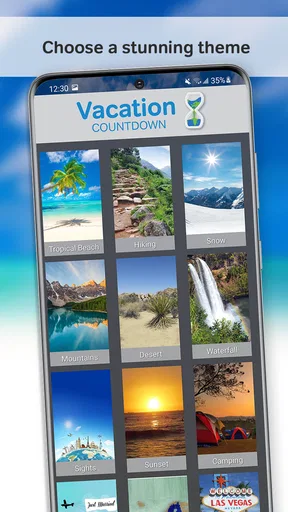
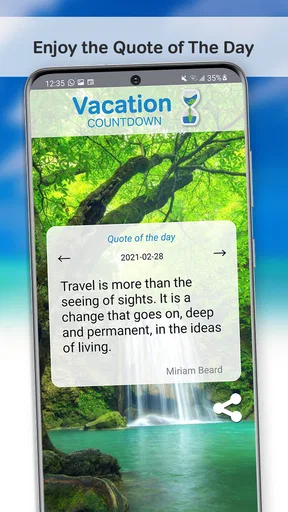
Now, let’s talk features. The app isn’t just about numbers ticking away. It’s packed with customization options that let you personalize your countdown. You can choose different themes, add background images of your destination, or even opt for a motivational quote to keep those travel vibes alive. It’s these little touches that make the app more than just a countdown—it’s a mood setter.
One feature I particularly love is the ability to share your countdown with friends and family. You know, just in case you want to rub it in a little (in the nicest possible way, of course). Sharing is super simple, and it’s a fun way to involve others in your excitement.
Making a countdown useful, not noisy
The customization is most useful when it helps you recognize the right trip at a glance. If you have more than one plan on the horizon, a distinctive image or theme can make each countdown feel tied to its own destination instead of looking like a duplicate date card. I would keep the wording short and the visual choice meaningful: a photo that reminds you of the place, for example, is more likely to spark anticipation than a generic label.
Worth Reading Before You Choose

EA SPORTS FC Mobile 26 Is a Bigger Football Game, but It Takes Time

Flipboard Shows What News Apps Must Do Beyond the Feed

Switching to Android Auto Means Rethinking Your Driving Routine

Google Calendar Makes a Crowded Week Easier to Manage

Ludo King Makes the Most of the Minutes Between Plans

Baby Panda World Brings Quick Play to Modern Phones, but Its Game Library Feels Busy
Notifications are a matter of taste. A nudge can be welcome when the trip is close, but frequent reminders can turn a pleasant countdown into phone clutter. I’d start with notifications enabled only if I enjoy those prompts, then adjust or turn them off if they compete with work or other alerts. The app’s purpose is to make waiting more enjoyable, so the reminder should feel like a treat rather than an obligation.
Easy Peasy Setup
Setting up the app is a breeze. You don’t need to be a tech wizard to get it up and running. The navigation is intuitive, and everything is laid out in a way that makes sense. Whether you’re tech-savvy or not, you’ll find yourself cruising through the setup without a hitch. Plus, the app supports multiple countdowns, so if you’re a globetrotter with several trips planned, you’re covered.
Where it fits among travel apps
Most travel apps focus on logistics: they collect bookings, suggest places, or help coordinate the journey. A calendar can also mark a departure date, and a reminder app can alert you on a chosen day. Those options are better if all you need is a functional date entry. This app’s advantage is the more celebratory framing and the ability to dress a countdown up for a particular trip; it is for the feeling of looking forward, not for managing the trip itself.
That narrower focus is both its strength and its limit. I would not choose it as the only travel app on a complicated itinerary, and I would skip it if a plain calendar entry already gives me all the anticipation I want. But for someone who likes a visual, personalized marker of an upcoming break, the extra character can make checking the date more satisfying than opening a calendar to find a small event label.
Keeping the Anticipation Alive
One of the coolest aspects of the Vacation Countdown App is how it keeps the anticipation alive. It’s not just about the big trips either; you can set it up for weekend getaways, special events, or even your next big shopping spree. Every time you unlock your phone, you’re reminded of the good times ahead.
The app also sends notifications, giving you little nudges of excitement as your vacation approaches. It’s like having a friend who’s just as excited about your trip as you are. And let’s be real, who doesn’t love a little extra excitement?
A realistic use, and a practical trade-off
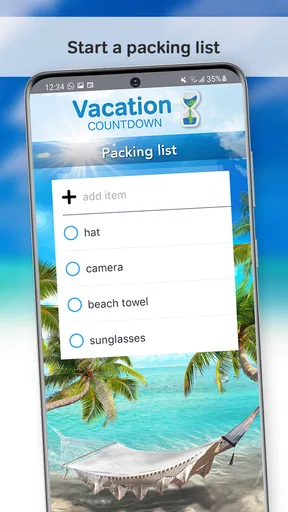
Say I book a long weekend months ahead, then return to ordinary workdays and family commitments. I can create a countdown, choose a background that brings the destination to mind, and share it with the people travelling with me. It gives us a small common point of excitement without asking everyone to install a full itinerary app or coordinate a planning document. As the date gets closer, the countdown can also prompt a useful check-in: not a replacement for a packing list, but a reminder to look at one.
For multiple trips, I would name each countdown clearly rather than relying only on dates. A spring break, a family visit, and a weekend away can otherwise blur together when viewed quickly. The app’s multiple-countdown support makes it suited to that kind of forward-looking list, though anyone who needs task assignments, booking confirmations, or changes shared across a group will be better served by dedicated planning tools.
Who will enjoy it—and who may not
I think the strongest fit is someone who already knows when they are going and enjoys the emotional build-up: families counting down together, friends sharing a trip, or a frequent traveller with several confirmed dates. It is also a sensible choice for people who want a focused travel countdown rather than a broad organizer full of features they may never use.
On the other hand, if your plans are tentative or move often, a countdown may become something you have to keep correcting. People who dislike notifications, decorative customization, or checking a number for motivation may find little reason to add another app. And if your main question is what to do at the destination, how to get there, or where your reservation details are, this is not the tool I would reach for first.
Cost, compatibility, and the small print
The app is free to download, with in-app purchases ranging from $0.99 to $12.99 per item. I would begin with the free experience and only consider a purchase if a specific extra matters to me; the core idea of marking a trip date does not require treating the app as a full travel service. It is rated for Everyone, so its basic concept is straightforward for a broad audience, including people setting up a countdown with children or relatives.
Vacation Countdown is made by Kulana Media Productions LLC. It has a 4.6 average from around 63,000 ratings, and more than 5 million installs. The app first appeared on July 21, 2014, and its current version is 2.781, with Android 8.0 as the minimum operating system. Those details suggest a long-running, established countdown app, while the practical decision is still simple: does a dedicated, personalized reminder make the wait more fun for you?
Wrapping It Up
All in all, the Vacation Countdown App is a nifty little tool for anyone who loves to travel. It’s more than just a countdown; it’s a way to enhance the joy of anticipation. From its customizable features to its easy setup, it’s designed to be a companion in your travel planning process. So, if you’re planning a trip and want to keep that excitement rolling, you might want to give this app a try. Happy travels!
My recommendation is specific: try it when you have a confirmed trip and would enjoy seeing that date dressed up as something personal. Keep your bookings and practical plans in the tools that already handle them, and let this app do the lighter job of making the wait feel rewarding. If a calendar notification is enough for you, there is no need to add another app; if a visual countdown helps you share the excitement, this focused approach earns its place.
Pros
- User-friendly interface for easy navigation.
- Customizable countdown themes and backgrounds.
- Includes helpful travel tips and reminders.
- Syncs with calendar for important dates.
- Daily vacation-related quotes for inspiration.
Cons
- Limited free features; in-app purchases required.
- Ads can be intrusive in the free version.
- No offline mode for countdown updates.
- Customization options can be overwhelming.
- Limited integration with travel planning apps.
FAQs for Vacation Countdown App
What is the Vacation Countdown App and how does it work?
The Vacation Countdown App is a simple yet effective tool designed to help you eagerly anticipate your upcoming trips. Once installed, users can enter their vacation details and the app will display a countdown timer, showing the exact days, hours, and minutes until your departure. It also offers customization options with themes and backgrounds to make the countdown experience more personal.
Is the Vacation Countdown App available for both Android and iOS devices?
Yes, the Vacation Countdown App is available for both Android and iOS platforms. Users can easily download it from the Google Play Store or the Apple App Store. The app is designed to be user-friendly on both operating systems, ensuring that all users have a seamless experience regardless of their device.
Does the Vacation Countdown App require an internet connection to function?
No, the Vacation Countdown App does not require a constant internet connection to function. Once you have entered your vacation details, the countdown continues offline. However, an internet connection may be needed initially for downloading the app and any updates or additional content such as themes or notifications.
Can I customize the appearance of my countdown in the Vacation Countdown App?
Absolutely! The Vacation Countdown App offers a variety of customization options. Users can choose from different themes, backgrounds, and colors to personalize their countdown display. This feature allows you to match the countdown with the mood or destination of your upcoming trip, enhancing the excitement and anticipation.
Is there any cost associated with using the Vacation Countdown App?
The Vacation Countdown App is free to download and use, offering basic features at no charge. However, there may be optional in-app purchases available for users who wish to access premium themes or additional customization options. These purchases are entirely optional and are designed to enhance the user experience.


